Active Stellar Affinity Codes
Post–Light Festival refresh — try confirmed strings only; claim residual mail separately.
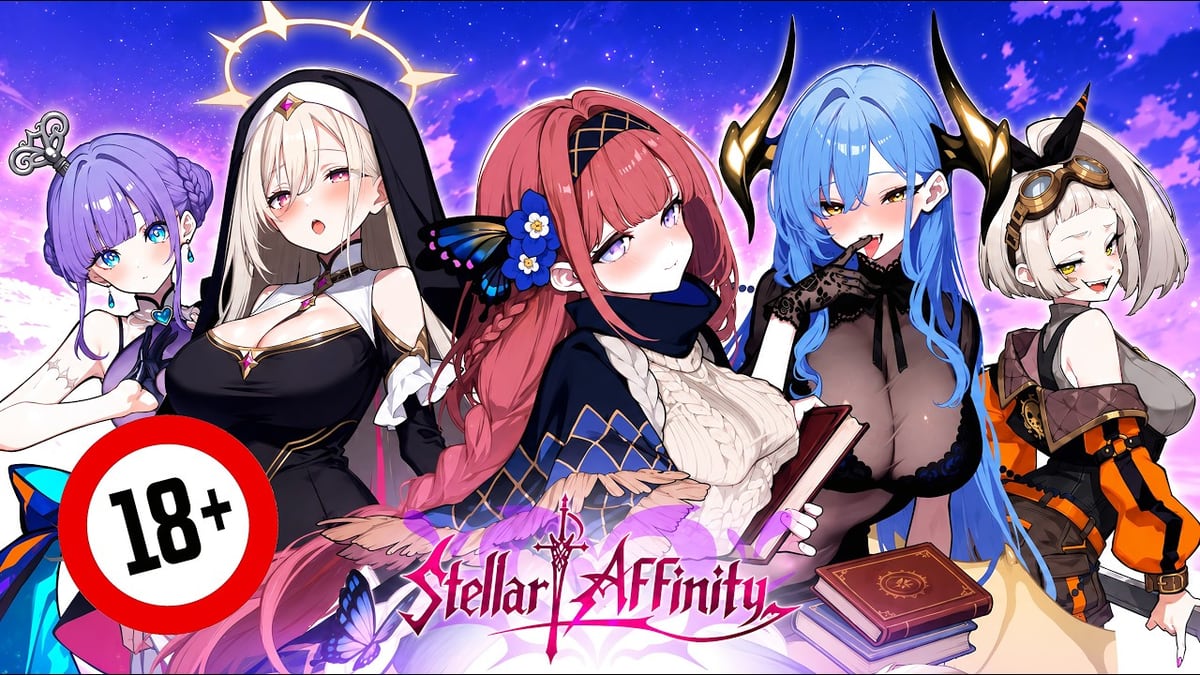
This page tracks alphanumeric gift codes for Stellar Affinity on EROLABS. Since the 29 July 2026 launch — and into August 2026 — most captains’ biggest free pile still comes from mailbox campaigns — roughly 5000 star fragments (碎星) after the CBT clear goal, CBT spender 200% star-diamond (星鑽) returns, cumulative login pulls (~200), and the seven-day carnival — not from public code strings. Keep that distinction clear before you assume “no codes = no rewards.”
We still do not invent codes. An empty or Verify-only table means no confirmed public string for this refresh — not a license to paste rumor keys. When a code fails for multiple accounts, it moves to expired codes. For the exact menu path, use how to redeem.
Current active codes (22 August 2026 refresh)
| Code | Reported rewards | Status | Notes |
|---|---|---|---|
| (no confirmed public string this refresh) | — | Verify | Re-check after livestreams / partner banners — do not invent fillers |
| Platform campaign codes (LDPlayer / QooApp / store events) | Coupons or in-game items | Verify | Often launcher-gated; redeem on the partner site/client, not always in-game Redeem |
| Community livestream overlays | Tickets / stamina / fragments | Verify | Redeem within hours of the broadcast |
Mail ≠ code box. Fragment gifts, CBT diamond returns, and login pull campaigns claim through launch rewards / mailbox UI. Only true Redeem strings belong in the table above.
How to use the table
- Bind a real EROLABS account (account & bind, download & PC).
- Finish enough tutorial to unlock Redeem (how to redeem).
- Paste one string at a time; strip spaces; match letter case.
- Tick results in the codes tracker.
- If the client says invalid, check expired before retry spam.
- If the string came from LDPlayer or another partner page, finish the launcher/event claim flow first — many coupons never touch the in-game code box.
Launch into August: codes vs campaigns
| Channel | What you get | Where to claim |
|---|---|---|
| Gift code box | Occasional public strings | Redeem UI |
| Server fragment gift | ~5000 碎星 after CBT goal | Mail / claim UI — see launch rewards |
| CBT spender return | 200% 星鑽 value, same account | |
| Login pull campaign | Up to ~200 pulls across the window | Login / mission UI |
| Seven-day carnival (may be residual in early August) | Tickets + mats for clears/bonds | Event board / current events |
| LDPlayer / partner coupons | Store credit or gated items | Launcher or partner site (often not Redeem) |
Newbie targeted recruit and story free-core growth toward 6★ are also not codes — spend rules live on gacha & summon. Day-by-day claim habits live on beginner week; after carnival thins, use daily routine and midgame priorities.
Spending redeemed rewards
- Tickets / diamonds — only toward a written carry from the tier list and a squad from best teams; keep a floor via the F2P plan.
- Stamina / energy items — burn on planet nodes while you learn combat & idle pacing.
- Bond gifts — feed your mains via Hime Bonds and Cumpanions; do not spray across the whole roster.
- Fragments / upgrade mats — follow progression priority and identify sinks on currencies.
Where new codes usually appear
- EROLABS news / event banners tied to current events
- Livestream overlays during patch parties (patch notes)
- Emulator partner landing pages such as LDPlayer (region, client, or launcher gated)
- Occasional social reposts — still verify before trusting a random image; never treat a screenshot as proof we should invent a row
Related reading
- Codes hub
- Launch rewards — start here when the code table is quiet
- Currencies
- Account & Bind
- Review for expectations about launch generosity
Keep this list bookmarked through mid-August banner rotations and post-festival livestreams. Between drops, push story free upgrades, residual carnival, and event shops — those timers punish absence harder than a missing coupon string.
Practical redeem session (10 minutes)
Set a timer. Open the game, open this page, open the codes tracker. Attempt every Verify-row string once. Screenshot failures. Do not spend the next forty minutes refreshing rumor Discords or typing made-up keys. If nothing works, switch immediately to launch rewards mail, then run one combat & idle block so the session still grows the account.
Partner coupons (especially LDPlayer / store events) sometimes look like game codes but redeem on a launcher website. If a string came from an emulator event page, read the fine print before assuming the in-game Redeem button applies. Keep EROLABS account IDs consistent across clients so you do not “lose” a success that landed on an abandoned guest profile.
After livestream drops
When a creator shows an on-screen key, type it within the hour. Livestream codes die faster than launch mail. Update this table’s Status column mentally: Working → Already claimed → Expired. Move confirmed deaths to your personal notes against the expired codes archive so tomorrow-you stops retrying. We will add rows only when a string is confirmed — post-festival framing does not lower that bar.
Frequently Asked Questions
Quick answers to the most common questions.
Why does the table look empty in August?
Public codes are often sparse after launch. We do not invent fillers. Claim mailbox gifts on [launch rewards](/events/launch-rewards/) and keep checking after livestreams listed under [current events](/events/current/).
Is mail the same as the code box?
No. Launch fragment packs, CBT returns, and many login gifts are mailbox / campaign UI — see [launch rewards](/events/launch-rewards/). Redeem is only for alphanumeric gift codes ([how to redeem](/codes/how-to-redeem/)).
Can friends share one code?
Usually each EROLABS account redeems separately. Shared screenshots do not share inventory.
Are LDPlayer or partner coupons the same as in-game codes?
Often no. They may be launcher-gated on LDPlayer / store event pages. In-game Redeem strings typically follow the bound EROLABS account ([account & bind](/guides/account-erolabs/)).
I redeemed successfully but see nothing.
Check mail and inventory. Also confirm you did not confuse a mail-only launch gift with the code box — [how to redeem](/codes/how-to-redeem/) and [launch rewards](/events/launch-rewards/).
Where should expired strings go in my notes?
Archive them against [expired codes](/codes/expired/) and clear them from the [codes tracker](/tools/codes-tracker/).